Get cinematic zombie makeup without the latex
Zombie Makeover applies the kind of special-effects makeup you'd see on a horror poster: pale greenish skin, sunken eyes and torn vintage clothes on a foggy street. We keep it PG-13 — eerie, never gory.
Tip: a well-lit, front-facing photo where your face is clearly visible works best.
Creating your photo…
- Uploading
- Creating your photo
- Finishing touches
Usually 15–25 seconds. You can close this tab — your photo will be in My photos.
Your preview is ready
This preview is watermarked. Unlock the full-resolution photo — no watermark.
Try 3 more styles with the same photo
That didn't work
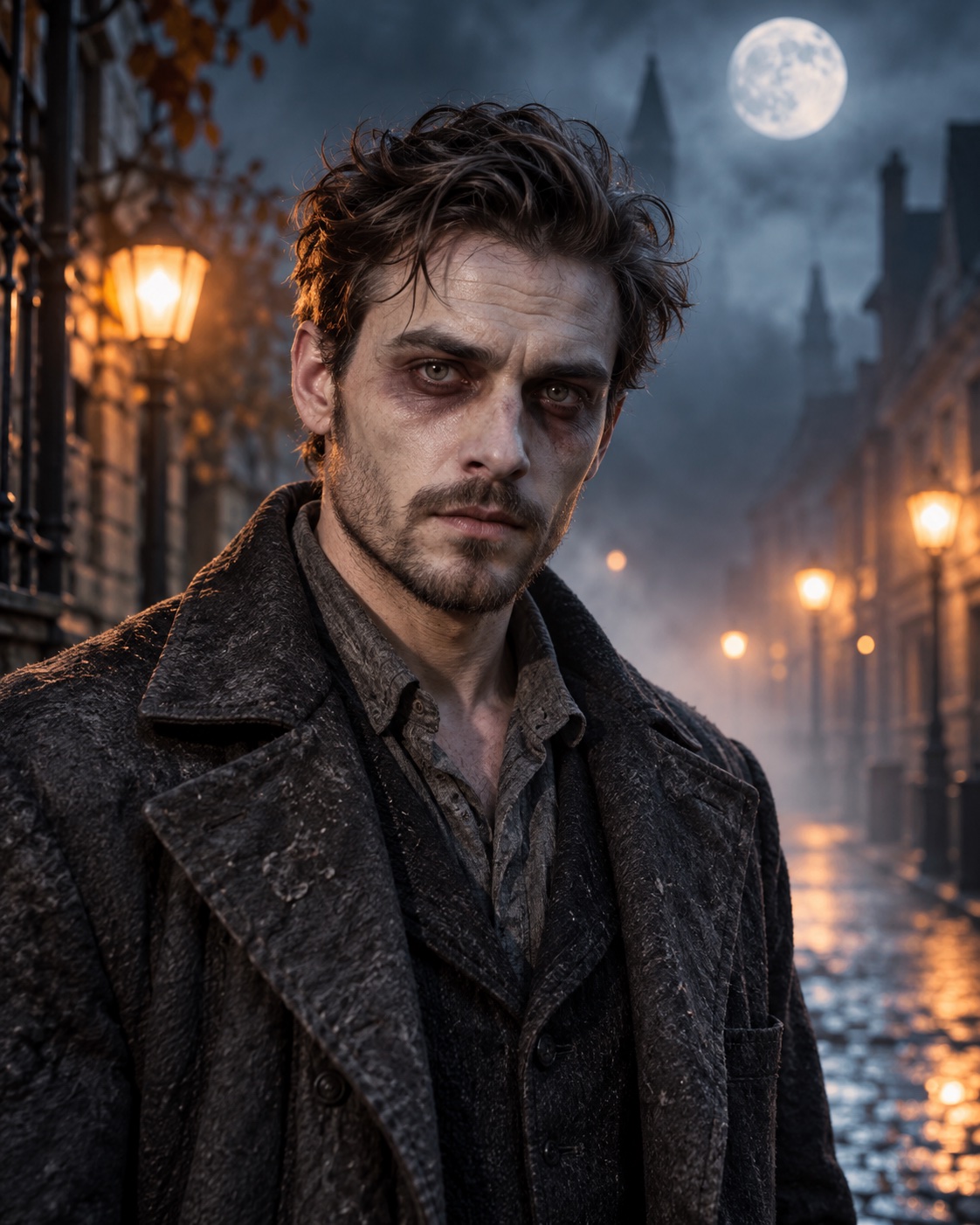
Tips for the best Zombie Makeover photo
- Big expressions (open mouth, wide eyes) make the result more dramatic.
- A plain background photo gives the AI room to build the foggy street.
- Still you: hairline, face shape and features are locked to your original.
Ways to use it
Perfect for a 'before and after' reel — post your original, then the zombie version.
Still looks like you
Every Halloween style uses an identity lock: the AI is told to keep your face, features, skin tone and expression exactly the same, and only change the outfit, scene and lighting. Each photo uses 1 credit and comes in full resolution with no watermark.
Try another Halloween look
Same photo, different style — tap one and hit create.
Halloween questions
Will it still look like me?
Yes — every style uses an identity lock that tells the AI to keep your face, features, skin tone, age and expression exactly the same. Only the costume, makeup and scene change.
Is the zombie style scary or gory?
It's cinematic special-effects makeup, kept PG-13 with no gore. Fine for sharing with family and friends.
Can I do my dog or cat?
Yes. Pick Spooky Pet Costume and upload a clear photo of your pet. The AI keeps the breed, fur color and face, and adds a tiny witch hat or pumpkin outfit.
How many styles can I try?
As many as you have credits for. Each style you create uses 1 credit and comes in full resolution with no watermark. Credits never expire, so leftovers work at Christmas too.
Can I post the result on Instagram or TikTok?
Of course. Download the HD photo and use the share buttons for a ready-made caption. Please only upload photos of yourself or people who agreed.
Does it work for couples or groups?
Halloween styles are tuned for one person per photo. For groups, try the Family Christmas Card style on our Christmas page.
More from SharperAI
Your sharpest photo is one upload away
No sign-up, no subscription. 1 credit = 1 HD photo, and credits never expire.
Upload a photo